Mail and calendar for people with more than one of each.
Hedwig brings every Gmail inbox and Google Calendar you use into one place, and writes a one-page brief before your day starts.
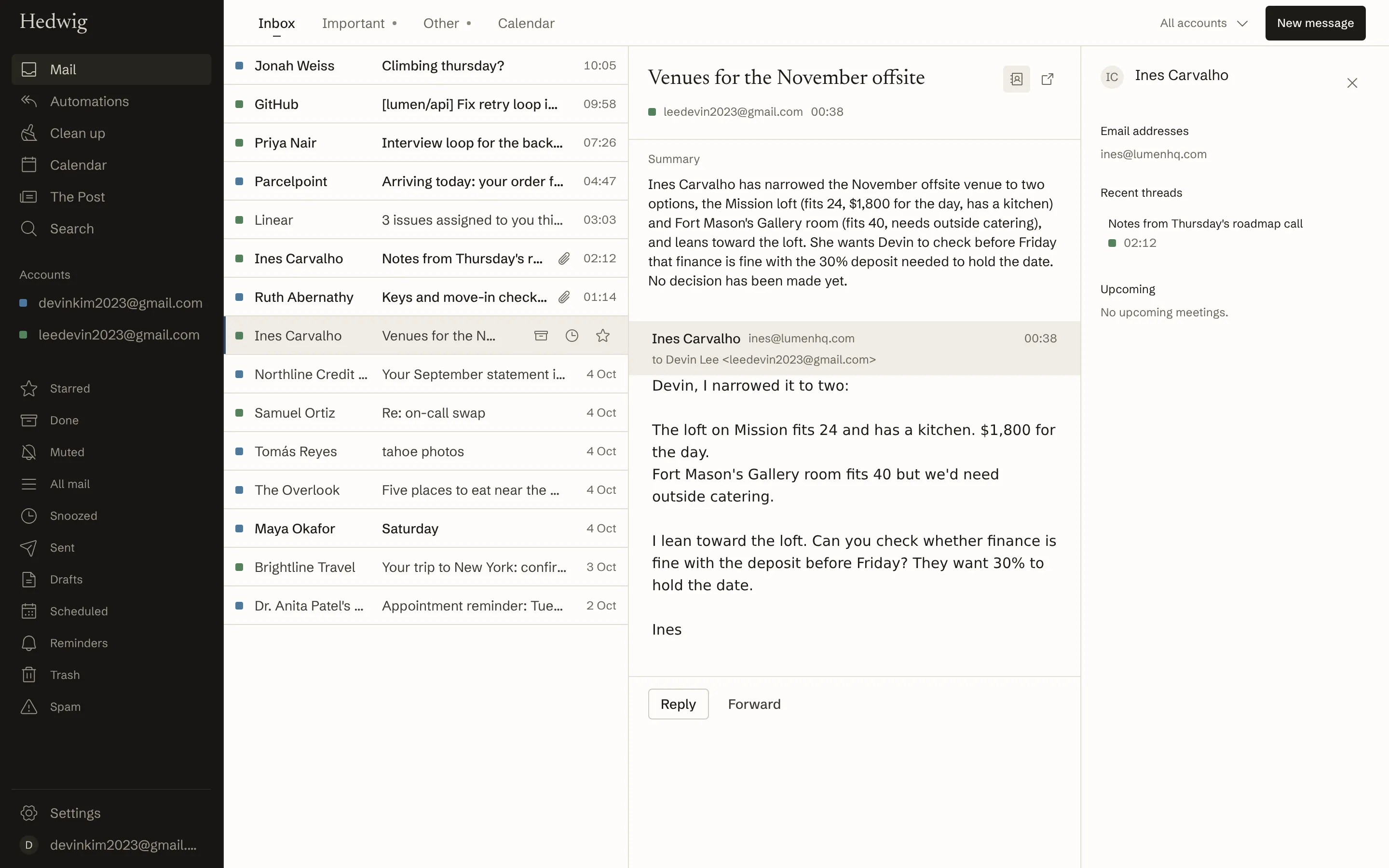
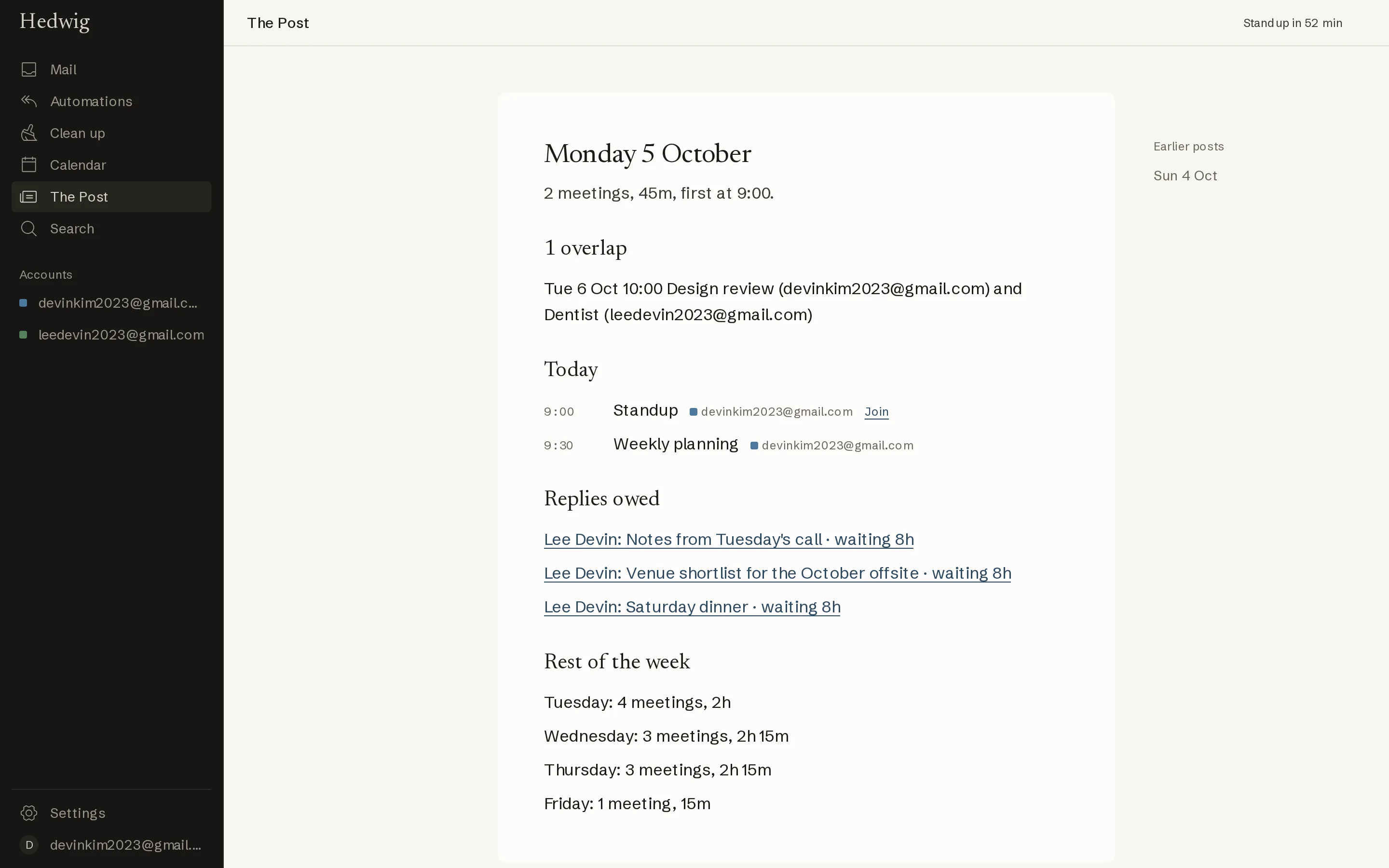
Hedwig is named for the owl that brought the morning post. Each morning it leaves you one page: today's meetings across every calendar, where they overlap, the replies you owe, and what arrived overnight.
One inbox for every account
Work, personal, and everything else in one list, each thread marked with its account. Split Inbox keeps people apart from receipts and notifications. Replies go from the address the mail was sent to.
- Split Inbox with your own rules
- Snooze, reminders, and send later
- Undo send
- One-key unsubscribe
- Snippets
- Search with Gmail operators across every account

All your calendars in one view
See all your calendars together, with overlaps between accounts marked. Hedwig can block time on one account when you're busy on another, without copying any details.
Day, week, month, and agenda. Type “lunch with Sam fri 1pm” to create. Share free times as text in their time zone. Join the next meeting with one key.

The Post
One page each morning, at the time you choose. Facts and links: the day's meetings and conflicts, replies you owe, receipts, deliveries, travel, and codes that arrived, and the shape of the rest of the week. It can also arrive as an email from your own Gmail.
Every action has a shortcut
Superhuman's shortcuts work as you expect: j and k to move, e to archive, r to reply, h to snooze. Press ⌘K for any command and ? for the full list. Every shortcut can be changed.
- Next
- J
- Previous
- K
- Archive
- E
- Snooze
- H
- Inbox
- GI
- Command palette
- ⌘K
- Keyboard shortcuts
- ?
- Join
- ⌘J
- Today
- T
AI is off until you turn it on
Summaries, reply drafts in your style, and sorting are optional and off until you turn them on. Hedwig works fully without them, and your mail is never used to train AI models.
Use Claude or ChatGPT with your mail
Connect an AI assistant to Hedwig and it can search your mail, write drafts, and check or add to your calendars, across every account. You choose what it's allowed to do when you connect it. It can't send mail, and you can disconnect it in Settings at any time.
Works with Claude, ChatGPT, Cursor, and other apps that support MCP.
Pricing
- Free. Mail, calendar, The Post, shortcuts, search, and everything else.
- Hedwig with AI: $15 a month. Summaries, drafts in your style, plain-language search, sorting, and the rest of the AI features.
- Try AI free for 7 days. No card needed, and nothing is charged when it ends.
Where your data goes
| What | Where | How long |
|---|---|---|
| Mail from the last 180 days, up to 2,500 threads, plus events, contacts, and settings. Google tokens are encrypted. | Hedwig's database, on AWS in the United States | Until you disconnect the account |
| The text one AI feature needs, such as one thread, only while that feature is on | Anthropic's API | Up to 30 days for abuse checks. Never used for training. |
| Message text for semantic search, only while it's on | OpenAI's API | Up to 30 days for abuse checks. Never used for training. |
| What an assistant you connect asks for, within the permissions you approved | That assistant's provider, such as Anthropic for Claude or OpenAI for ChatGPT | Under that provider's terms. Disconnect it in Settings to stop access. |
| Your voice when you dictate | Your browser. Speech is recognized on your device. | Not kept |
| Anything else | Nowhere. No ads, no tracking pixels, nothing sold. |